


Why Jira Issues Don’t Tell the Whole Story
How User Profiles for Jira App Changes That
Jira shows the issue, but not the full context
In many teams, Jira is the central place for tracking tasks, incidents, service requests, and projects.
An issue contains a summary, description, priority, status, reporter, and assignee. That works well for tracking work.
But when teams need context about the people involved, Jira often falls short.
Support agents ask:
Which department is the reporter from?
Where is this person located?
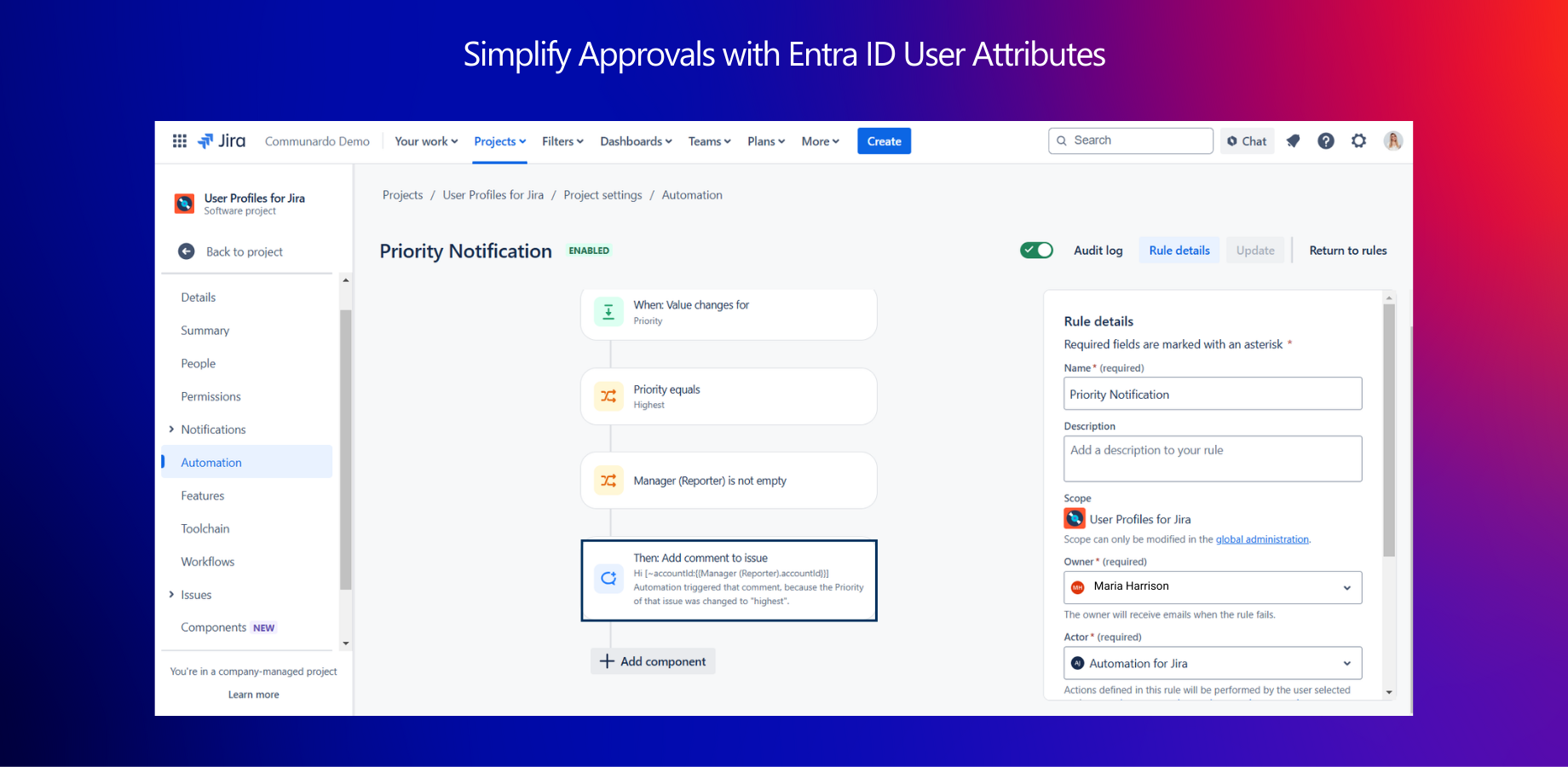
Who is their manager?
What is their role?
Are they internal staff or an external partner?
Project managers ask:
Which business unit owns this request?
Is the assignee part of the correct team?
Who can approve this change?
This information usually lives outside Jira - often in Microsoft Entra ID (formerly Azure AD) or Active Directory.
As a result, teams switch between systems, copy information manually, or make decisions without full visibility.
The problem: missing user context slows down work
When user attributes are not visible directly inside Jira issues, teams face common challenges:
Repeated clarification messages
Longer ticket resolution times
Manual lookups in HR or IT systems
Incorrect assignments
Limited reporting by department or location
This is especially visible in environments using Jira Service Management, where agents depend on fast access to requester information.
Without user context, every issue requires extra effort.
How User Profiles changes that
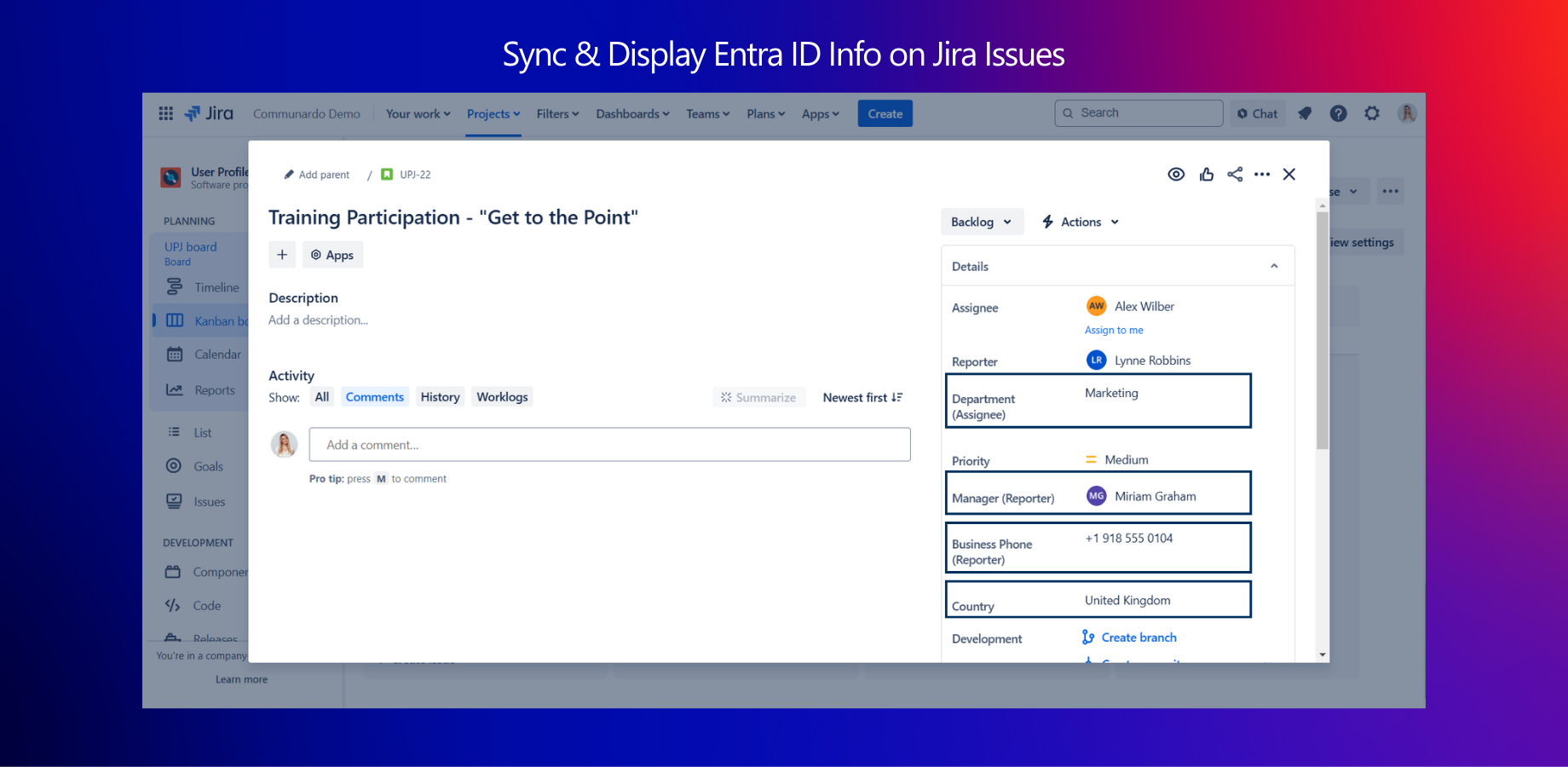
User Profiles for Jira (Microsoft Attributes Sync)by Communardo Products brings user attributes from Microsoft Entra ID directly into Jira.
Instead of switching systems, teams see relevant user information where they already work: inside the Jira issue view.
Attributes such as:
Department
Job title
Location
Manager
Phone number
Custom directory fields
are synchronized and displayed directly in Jira.
The issue remains the same - but the context becomes complete.
What changes in daily work
1. Service desks resolve tickets faster
Support agents immediately see who the requester is and where they belong in the organization.
No need to search external directories. No need to ask additional questions just to understand the background.
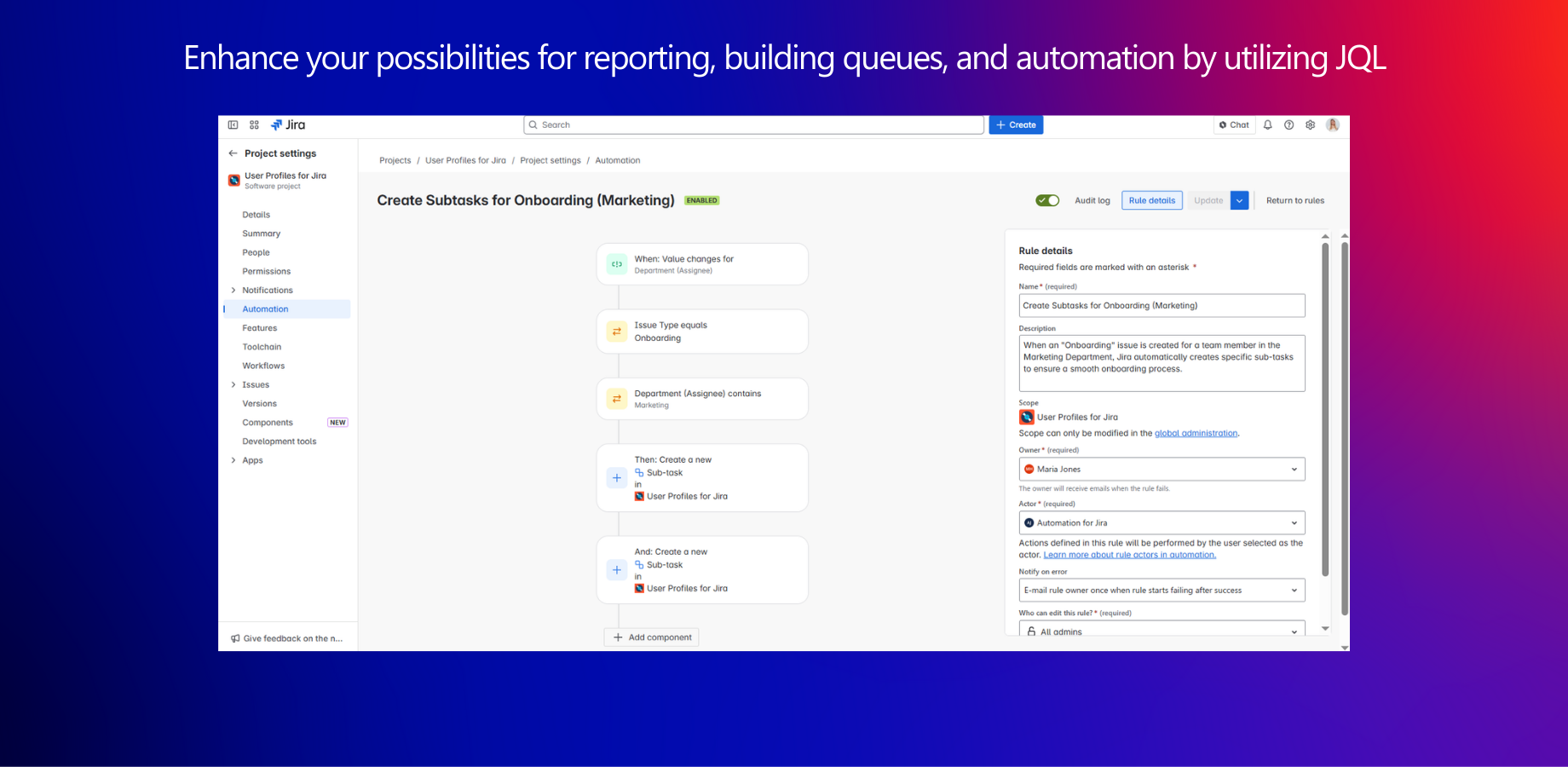
2. Smarter ticket routing
Issues can be routed based on synchronized attributes such as department or location.
For example:
Requests from the Finance department go to a specific queue
Incidents from a certain region are assigned to the regional IT team
This reduces manual reassignment and improves response times.
3. Better reporting and visibility
With synced Microsoft attributes available in Jira, teams can:
Filter issues by department
Create reports based on location or business unit
Track workload by organizational structure
This supports clearer decision-making without exporting data to external systems.
4. Stronger collaboration
When project teams know who they are working with, communication becomes more direct.
Seeing a manager, department, or role next to a name provides clarity — especially in large organizations.
Centralized identity, visible context
Many companies already manage user data centrally in Microsoft Entra ID.
User Profiles ensures this data is not locked away in the identity system but available in Jira where work happens.
There is no need to maintain duplicate user data in multiple systems.
Attributes are synchronized automatically and kept up to date.
A more complete view of every issue
A Jira issue tracks work.
User Profiles adds the organizational context behind the people involved.
Together, this creates a clearer, more informed working environment.
If your teams rely on Microsoft Entra ID and Jira, and frequently need additional user information to process tickets, it may be time to bring that context directly into Jira.
